You Have an Invitation from Elite Vault Agency
This invitation is more than just a message; it’s a gateway to a world of connections, resources, and tailored experiences designed to elevate your creator journey.
Open the TikTok App
Launch TikTok and make sure you’re logged into the account you want to use.
Use the link: https://www.tiktok.com/t/ZT6taU8H3/
OR
- then select “TikTok Studio”
- then select “Live” at the top
- in the Creator tools section
- select “Creator Network“
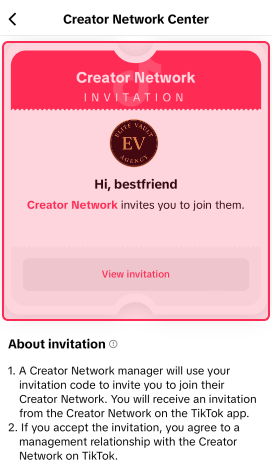
- next “View” on the New invitation
- then “View Invitation“
- then Accept our Invitation
- Welcome to Elite Vault Agency!