Moderators help keep your TikTok LIVE safe and enjoyable by managing comments and interactions. Whether you’re hosting a casual stream or a large event, adding a moderator can make a big difference. This guide walks you through the simple steps to assign a moderator before or during your LIVE session.
Open the TikTok App
Launch TikTok and make sure you’re logged into the account you want to use.
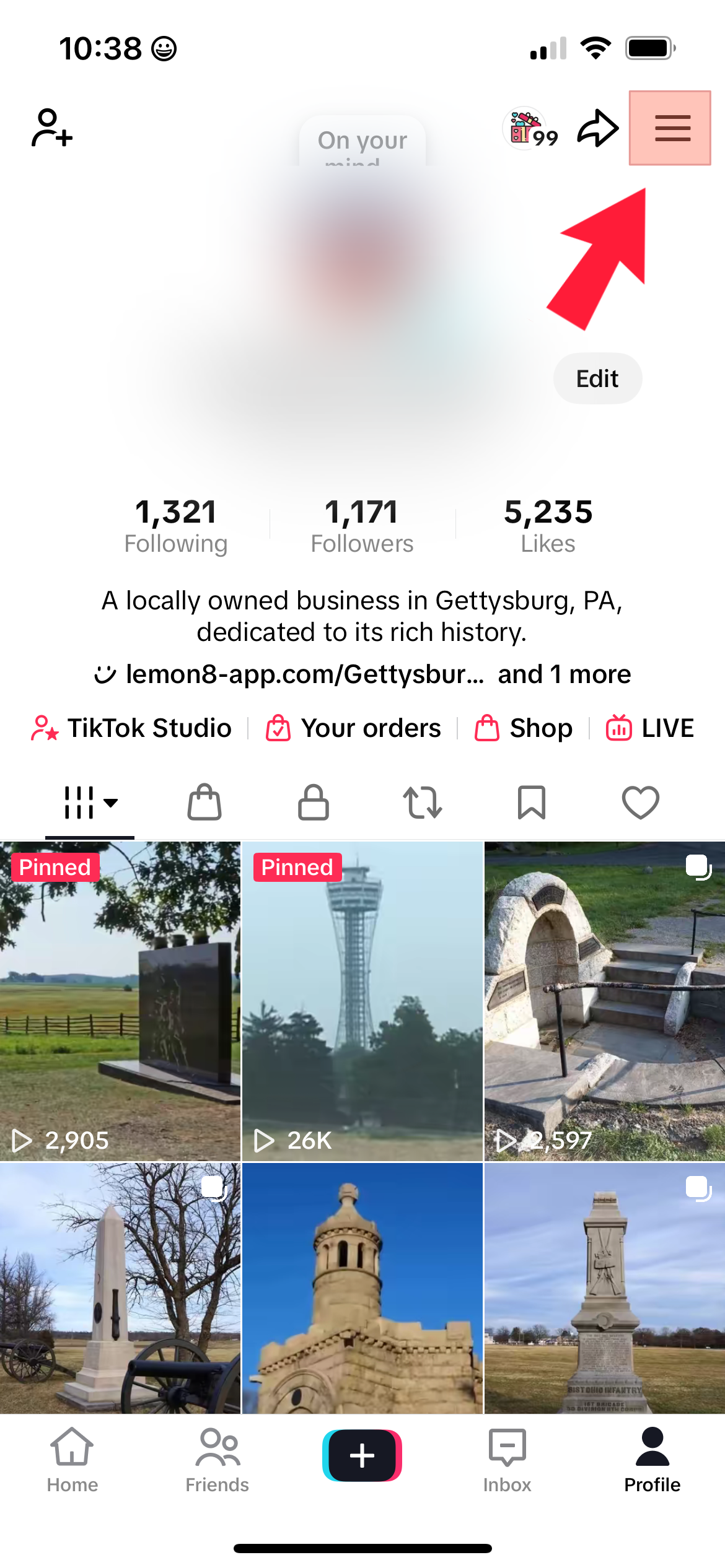
- Tap the three-line menu (☰) in the top right corner
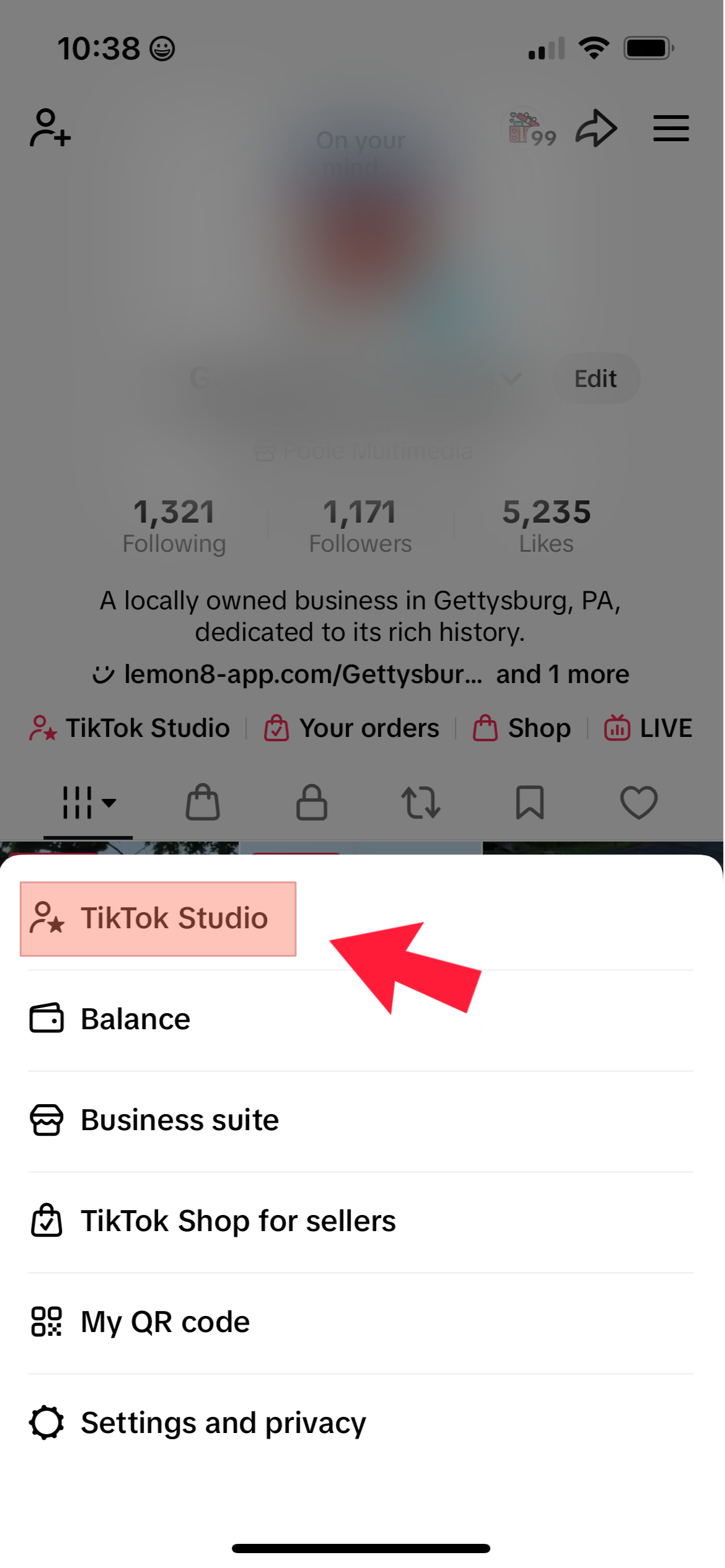
- then select “TikTok Studio”
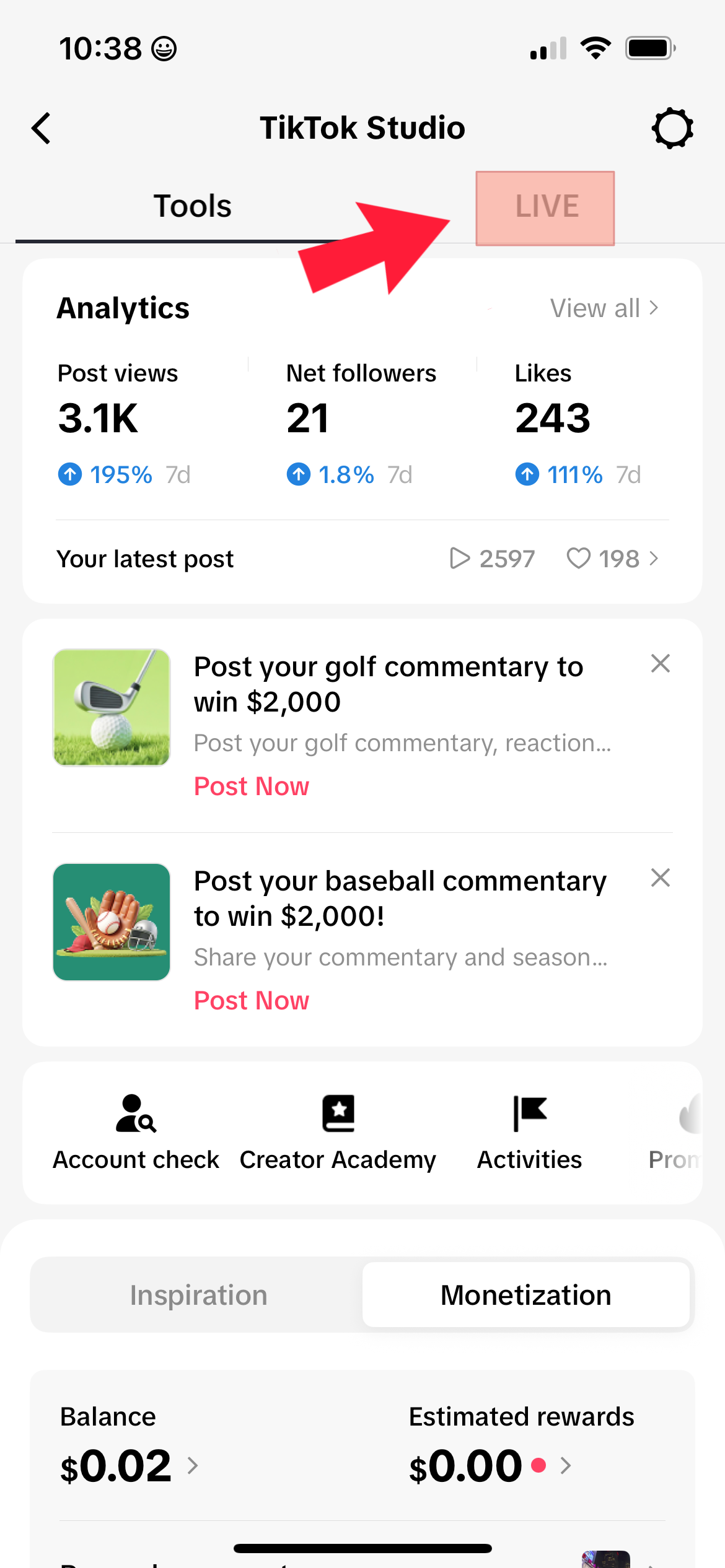
- then select “Live” at the top
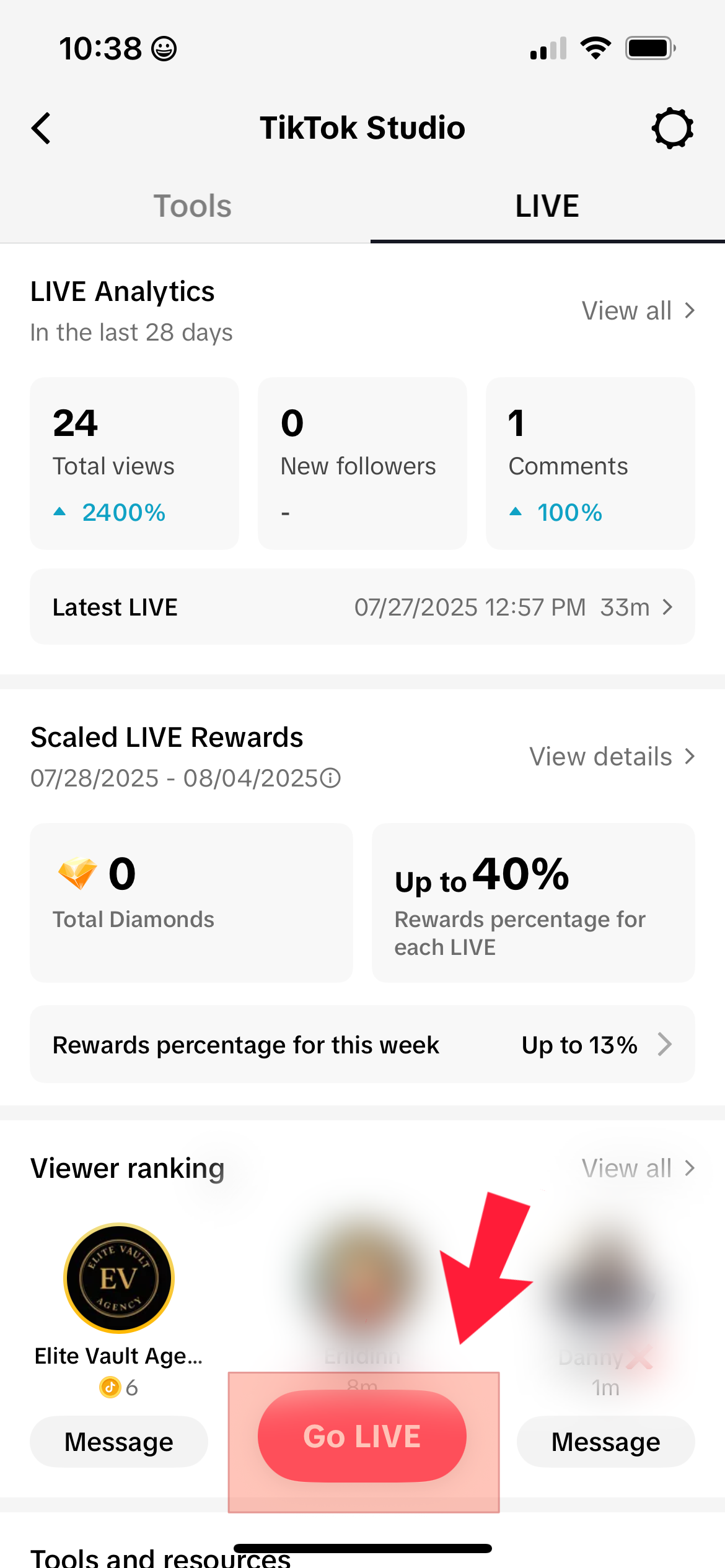
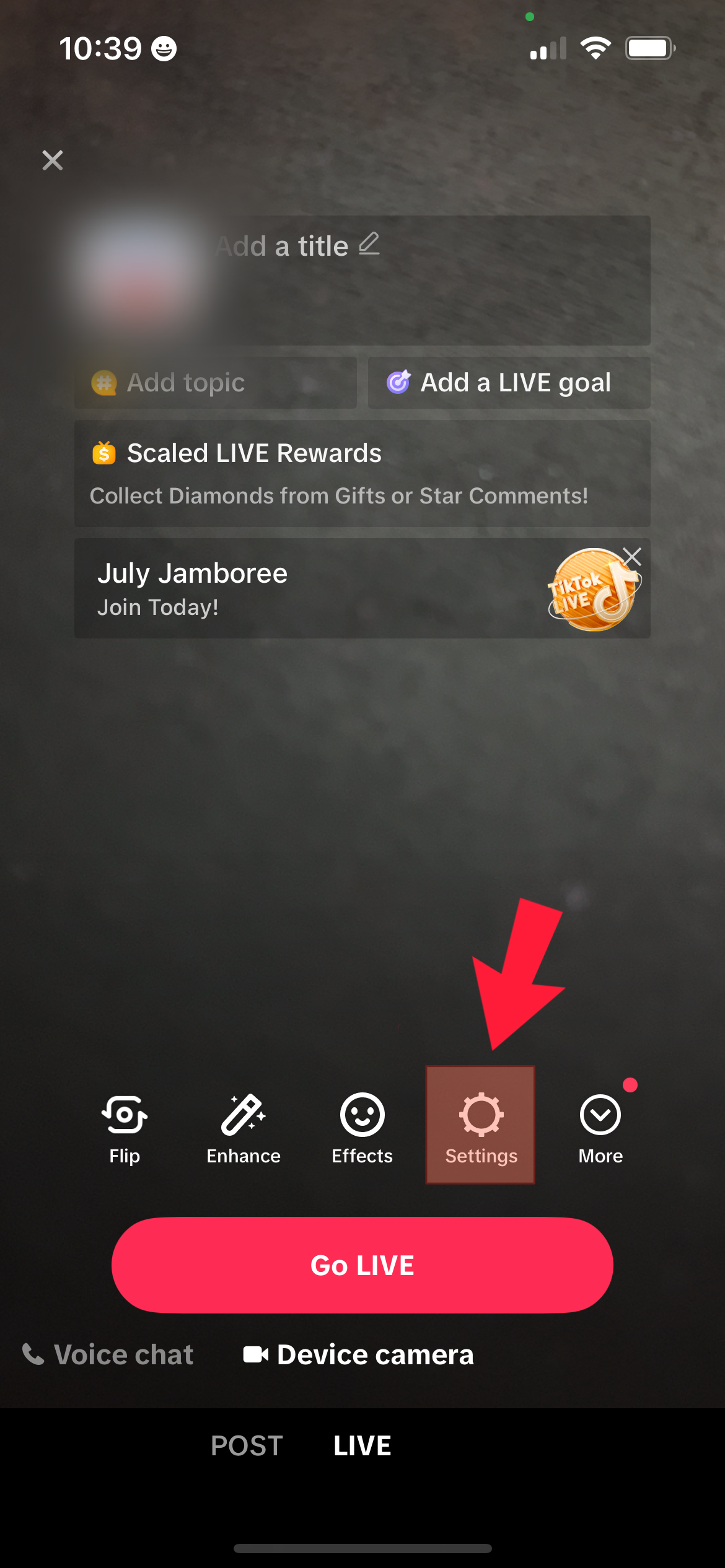
- then select the “Go LIVE” button at the bottom
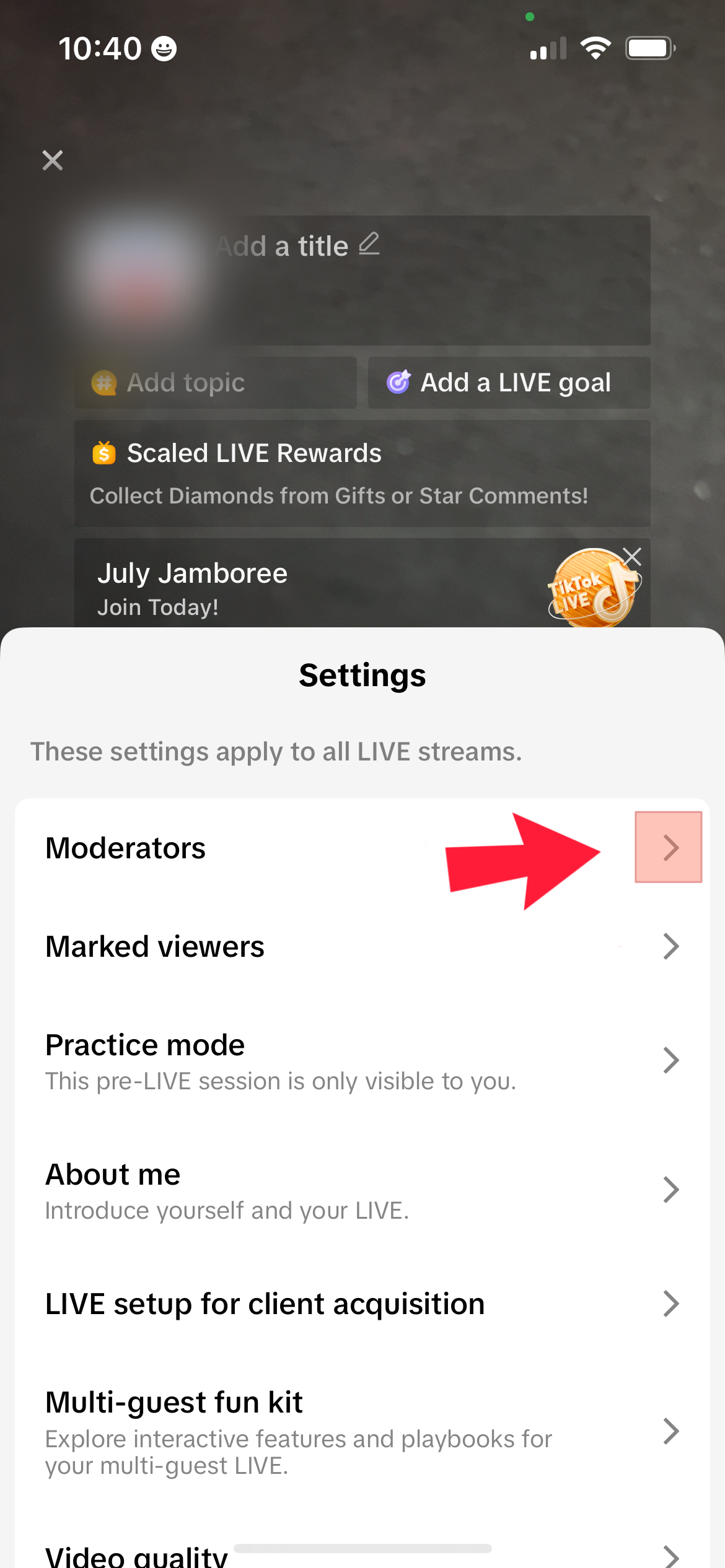
- select “Settings“
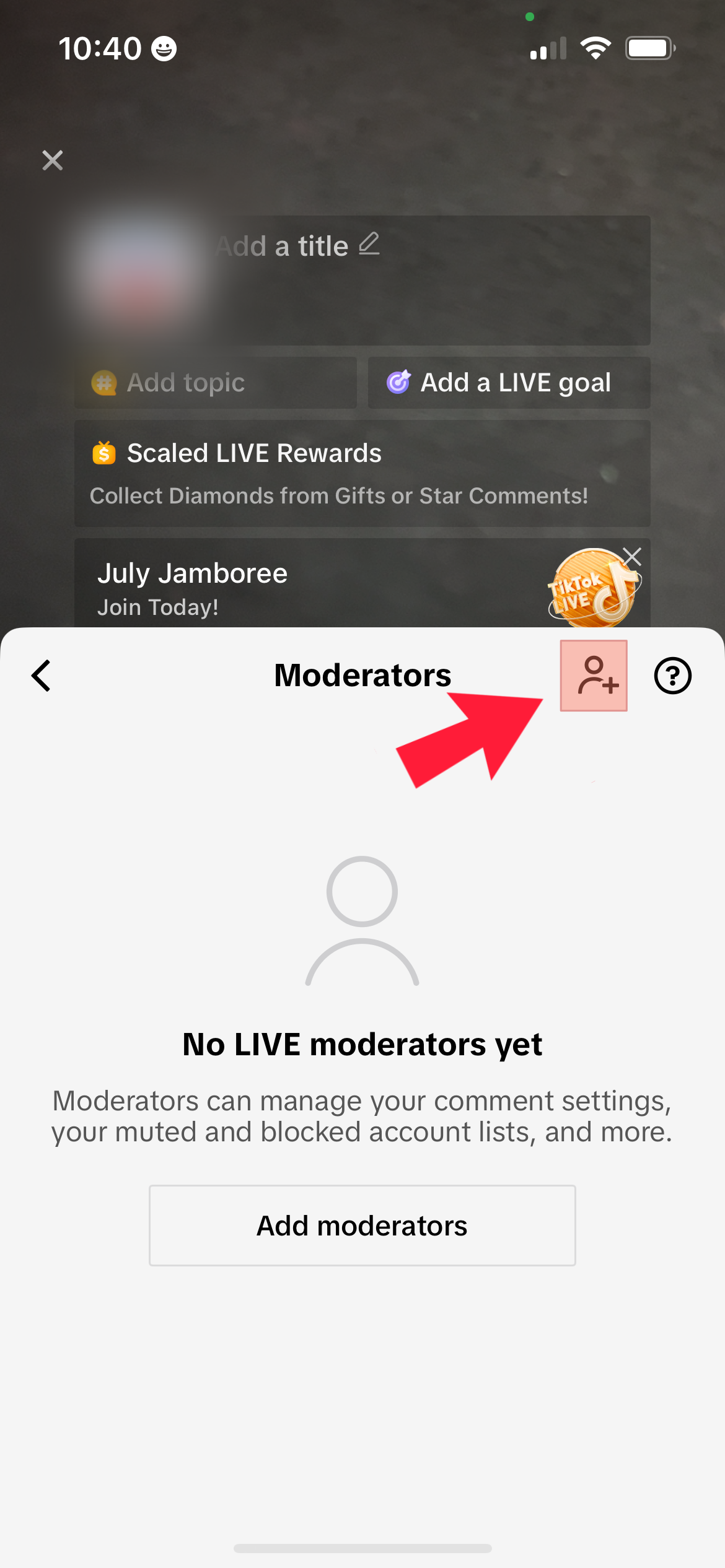
- next “Moderators“
- then add a Moderator
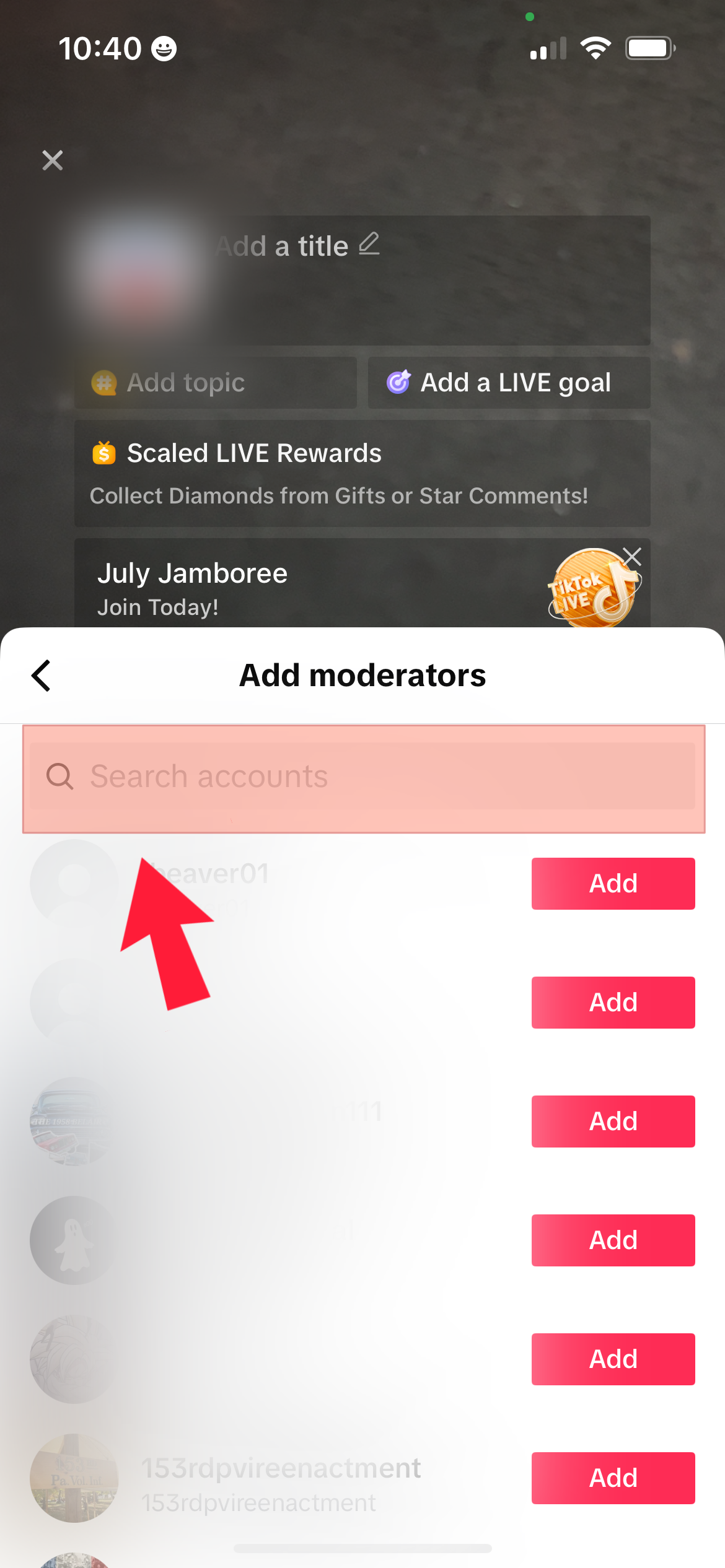
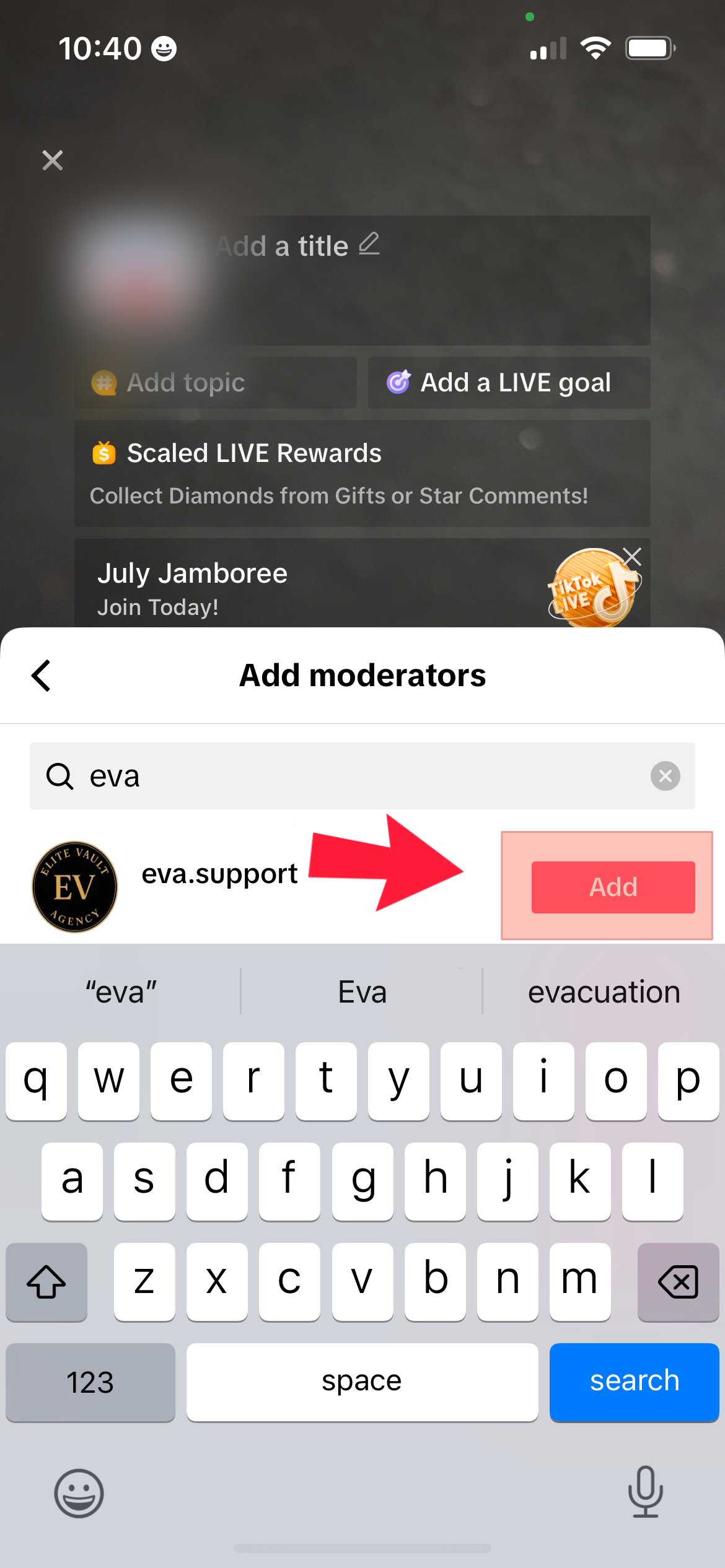
- Search for a moderator to add (eva.support)
- then select the “Add” button
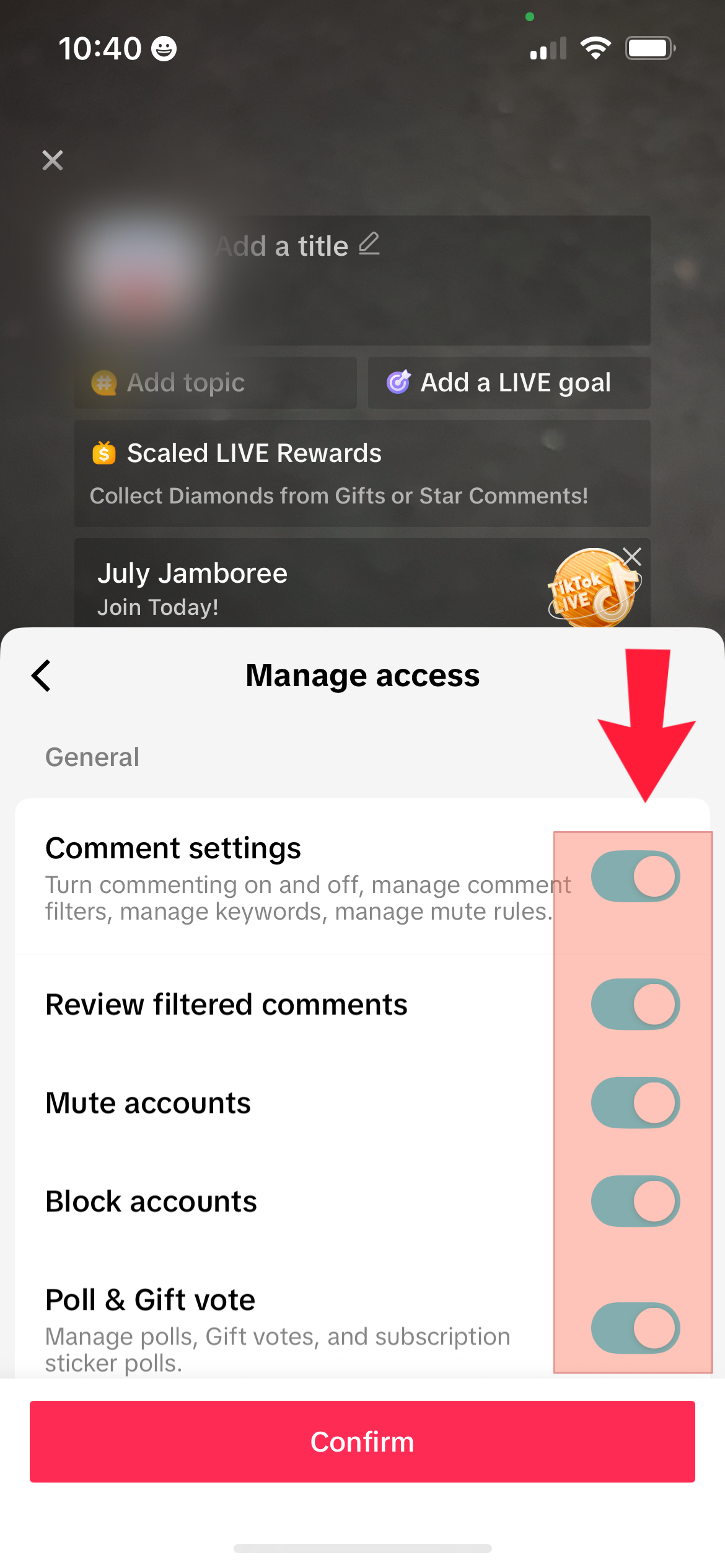
- select all the permissions
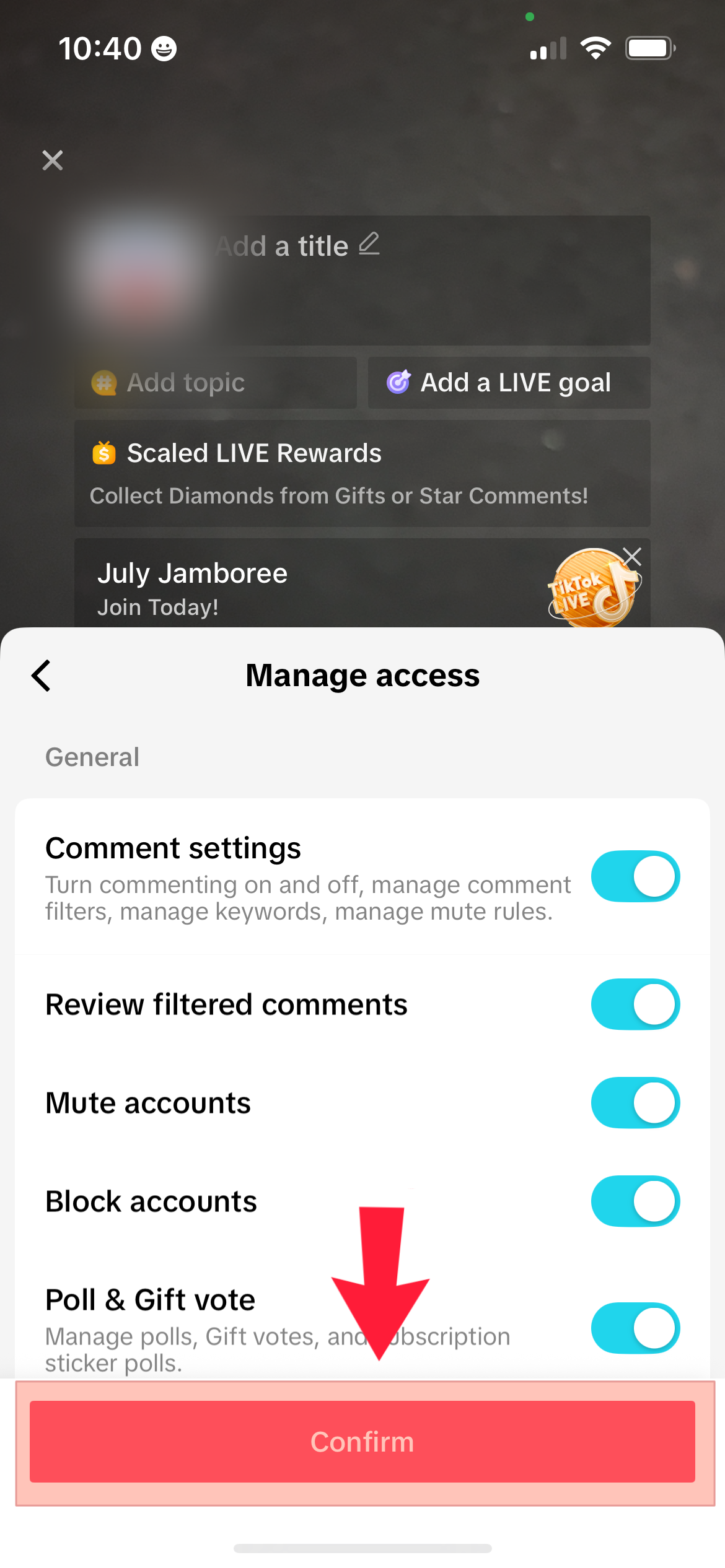
- then the “Confirm” button